Designing with Vector Icons for Infographics
Unlocking Visual Communication
Vector icons offer a powerful way to enhance infographics with clarity and style. Unlike raster images, vector graphics maintain quality at any size, making them ideal for detailed visual storytelling. Whether you're a marketer simplifying data or a teacher explaining complex ideas, vector icons help turn abstract concepts into digestible visuals. Their scalability ensures your message stays sharp across digital and print formats, from social media posts to presentation slides.
What makes vector icons particularly valuable is their adaptability. They come in a range of styles—from minimalist outlines to bold, flat designs—allowing creators to match tone and context. A tech startup might use sleek, modern icons to explain product features, while an environmental nonprofit could lean on organic, hand-drawn visuals to illustrate sustainability efforts. The key is choosing icons that align with your message and audience expectations.
Applications Across Industries
Infographics design vector icons find use in nearly every field. Bloggers use them to break down lengthy articles into scannable sections. Entrepreneurs visualize business models or customer journeys. Educators simplify lessons with visual cues that improve retention. Designers layer them into reports, dashboards, or mobile app interfaces to guide users intuitively.
Consider a healthcare infographic explaining symptoms of a condition. Icons representing body parts, medications, or lifestyle habits can clarify complex medical terminology. In contrast, a real estate agent might use home, location, and price icons to summarize property listings in a visually engaging way. Each use case benefits from thoughtful icon placement and consistency in style and scale.
Choosing the Right File Format
Vector icons come in several file types, each with unique benefits. SVG (Scalable Vector Graphics) works best for web use, allowing crisp display on any screen size. EPS (Encapsulated PostScript) remains a go-to for print projects requiring high resolution. PNG files provide pixel-perfect clarity for platforms that don't support vector formats, while JPG offers compression-friendly visuals for quick sharing. Adobe Illustrator (AI) files give full editing control for custom tweaks.
When selecting icons, consider your end goal. If you're designing a website or app, SVG ensures responsive visuals without quality loss. For printed brochures or posters, EPS guarantees sharp output at large sizes. PNGs suit social media posts or email newsletters where simplicity and fast loading matter most. Knowing which format to use streamlines your workflow and enhances final results.
Styling and Customization Tips
One of the biggest advantages of vector icons is the ability to customize them. You can adjust colors, stroke weights, and even combine multiple icons to create unique visual metaphors. For instance, merging a lightbulb and gear icon might represent innovation in a business presentation. A travel blog could layer map markers with camera icons to highlight photo-rich destinations.
To maintain visual harmony, establish a consistent style early on. If you're using line icons with a 2px stroke, keep that uniform across all visuals. Stick to a limited color palette—usually two or three primary hues—to avoid overwhelming the viewer. When mixing icon styles, ensure they share similar proportions and visual weight to prevent a cluttered look.
Creating Cohesive Infographics
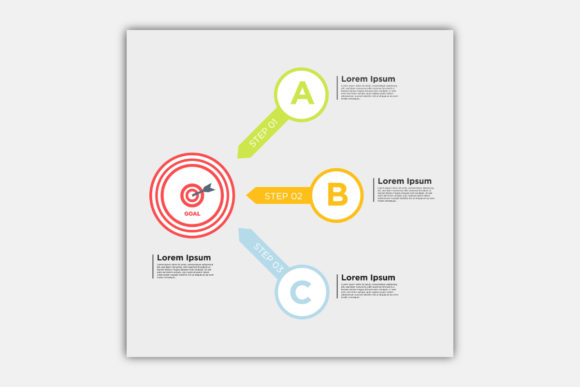
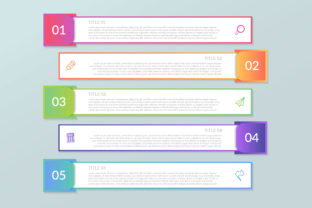
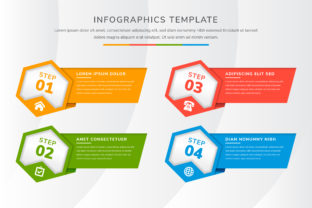
Effective infographics balance text, data, and visuals. Vector icons should support, not distract from, your core message. Use them to highlight key points, categorize information, or guide the viewer's eye through a logical flow. For example, arrows and numbered icons help sequence steps in a process, while category-specific icons separate sections in a comparison chart.
Spacing is just as important as design. Give icons room to breathe by avoiding overcrowding. A clean layout with intentional white space ensures readability and professionalism. When in doubt, simplify—fewer icons with clear purpose often communicate more effectively than a dense visual overload.
Project Ideas to Try
- Create a timeline of company milestones using calendar, trophy, and location icons.
- Design a wellness guide with icons for nutrition, exercise, sleep, and mindfulness.
- Visualize a budget breakdown with icons for income, savings, bills, and entertainment.
- Build a product comparison chart using checkmarks, crosses, and rating stars.
- Develop a travel itinerary with flight, hotel, restaurant, and activity icons.
These ideas can be adapted for personal blogs, business reports, educational materials, or marketing collateral. The goal is to translate information into visuals that feel intuitive and engaging. Each project benefits from a clear structure and consistent icon usage.
Where to Find Quality Vector Icons
Not all icon sets are created equal. Look for sources that offer well-crafted, consistent designs with proper licensing. Many platforms provide free and premium icon packs in multiple formats. Adobe Stock, Flaticon, Noun Project, and IconArchive are popular choices for designers at all levels.
When selecting icons, preview them at different sizes to ensure readability. Test how they look in both color and grayscale for accessibility. Some icons may lose clarity when reduced, so always double-check their legibility in your final design.
Best Practices for Effective Use
- Match icon style to your brand or project tone—modern, playful, professional, or illustrative.
- Use icons consistently to represent the same idea throughout your design.
- Pair icons with short, descriptive text to avoid ambiguity.
- Test your infographic on different devices to ensure icons remain clear and readable.
- Group related icons visually to support information hierarchy.
Following these guidelines ensures your infographics remain visually compelling and easy to understand. The goal is not just to decorate, but to communicate clearly and effectively.
Final Thoughts
Infographics design vector icons offer a versatile tool for modern creators. Whether you're simplifying data, enhancing a presentation, or crafting engaging social media visuals, the right icons make a difference. By understanding formats, styles, and customization options, you can elevate your designs without sacrificing clarity or professionalism. Start experimenting with purposeful visuals, and let your message shine through clean, intentional icon use.