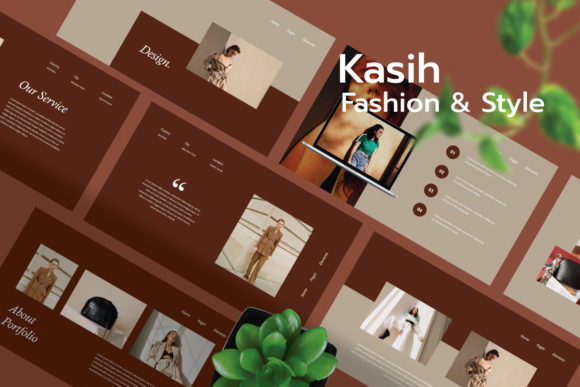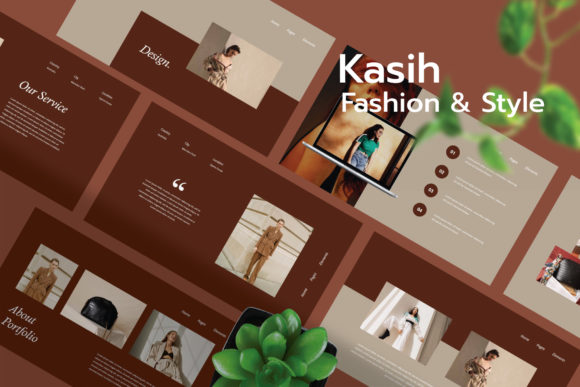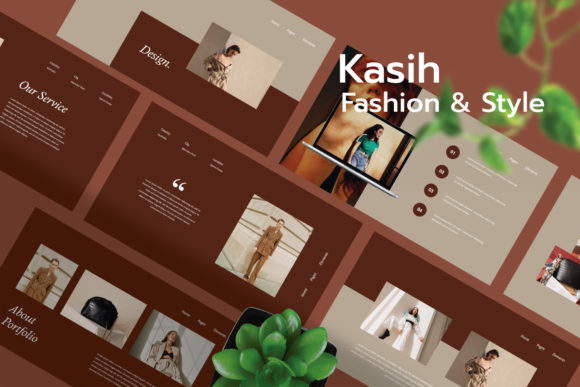
Kasih - Fashion Google Slide Template
Why Kasih Stands Out in Presentation Design
For professionals, creators, and entrepreneurs who need to make visually compelling presentations, Kasih - Fashion Google Slide Template offers a refined, modern solution. Whether you're pitching a business idea, showcasing creative work, or delivering an educational seminar, Kasih brings elegance and functionality to your slides. Built with customization and usability in mind, it helps users communicate ideas clearly and professionally without needing advanced design skills.
What Makes Kasih Unique?
Kasih is more than just a slide deck — it's a presentation toolkit designed for those who value both aesthetics and efficiency. With 30 unique, fully editable slides, it supports a variety of content types while maintaining a cohesive visual style. The template is available in 16:9 and widescreen sizes, making it suitable for both digital and live presentations. Its modern design is based on master slides, ensuring consistency across all your content while allowing full customization of text, colors, shapes, and images.
One of Kasih's strongest features is its flexibility. Whether you're a marketer creating a brand pitch, a blogger preparing a visual portfolio, or a teacher designing a lesson plan, you can easily adapt the template to match your specific needs. It also includes infographics, charts, icons, and PNG elements, which help simplify complex information and make your slides more engaging.
Practical Applications Across Industries
- Creative Professionals: Photographers, designers, and artists can use Kasih to present portfolios with clean, minimal layouts that let their work take center stage.
- Business & Marketing: Entrepreneurs and marketers benefit from the template's structured infographics and sleek design, ideal for investor pitches, product launches, and brand strategy presentations.
- Education & Training: Educators and trainers can create visually engaging lessons and workshops using the built-in layout options and drag-and-drop placeholders.
- Freelancers & Bloggers: Content creators can easily design slides for webinars, tutorials, or social media presentations without needing to hire a designer.
Enhancing Communication and Engagement
In today’s fast-paced digital world, the way you present information matters. A well-designed presentation can significantly improve audience engagement and comprehension. Kasih’s clean, modern design helps reduce visual clutter, allowing your message to come through clearly. The template’s structured layout also supports storytelling, making it easier to guide your audience through complex ideas or data.
For instance, a business owner pitching to investors can use the included chart templates to visualize financial projections. A lifestyle blogger hosting a workshop can use the image placeholders to showcase before-and-after visuals or step-by-step guides. Each slide is crafted to balance visual appeal with readability, ensuring your content remains the focus.
Usability and Customization Made Simple
One of the biggest advantages of Kasih is its ease of use. Unlike many templates that require graphic design knowledge or advanced editing tools, Kasih is built for Google Slides — a platform most users are already familiar with. You can drag and drop elements, swap out placeholder images, and change colors or fonts in just a few clicks.
Additionally, the documentation file included with the template provides clear instructions on how to customize and use each slide. This makes it accessible even for beginners while still offering enough depth for more experienced users who want to tweak layouts or integrate their branding elements.
Branding and Professionalism
For businesses and professionals, maintaining brand consistency is essential. Kasih supports this by allowing users to easily apply brand colors, fonts, and logos across all slides. Whether you're presenting internally or externally, a unified visual identity reinforces professionalism and builds trust with your audience.
For example, a boutique fashion brand might use Kasih to showcase their latest collection with a consistent color scheme and typography that aligns with their website and marketing materials. Similarly, a freelance designer can embed their portfolio slides with a personal logo and signature style, enhancing their professional image.
Things to Consider When Using Kasih
While Kasih offers many advantages, it's important to approach its use thoughtfully. Since the template does not include actual photos, users should source high-quality images that match the template’s aesthetic. Using low-resolution or mismatched visuals can detract from the overall design.
Also, while the template is fully editable, it’s best to maintain a balance between customization and consistency. Over-editing can lead to a disjointed look, so it’s recommended to stick to the master slide structure unless making intentional design changes across all slides.
Maximizing Efficiency and Productivity
Time is a valuable resource, especially for busy professionals and creators. Kasih helps streamline the presentation creation process by providing ready-made layouts that are both visually appealing and functional. Instead of starting from scratch or spending hours tweaking slide designs, users can focus on crafting compelling content.
For example, a startup founder preparing for a pitch event can quickly assemble a polished presentation using Kasih’s pre-designed slides for company overview, market analysis, and financial projections. This not only saves time but also ensures a more professional outcome.
Final Thoughts
Kasih - Fashion Google Slide Template is a versatile and powerful tool for anyone looking to create high-quality presentations without the hassle. Whether you're a creative professional, educator, business owner, or independent creator, Kasih offers the structure, flexibility, and visual appeal needed to make your message stand out. By combining modern design with user-friendly features, it empowers users to communicate more effectively and professionally — all while saving time and effort.