Business Infographics: Choosing the Right Visual Tools for Clarity and Impact
Business infographics are more than just colorful visuals—they're powerful communication tools that help simplify complex information, enhance presentations, and engage audiences. Whether you're a marketer crafting a campaign report, an educator explaining a process, or a small business owner outlining a workflow, the right infographic can make a world of difference. But not all infographics deliver the same results. Choosing poorly designed or mismatched templates can lead to confusion, wasted time, and missed opportunities.
Why Business Infographics Matter
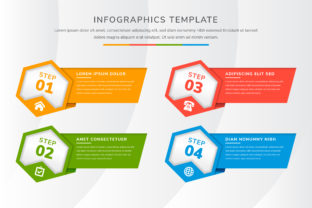
Visual content is processed faster by the brain than text, making infographics a go-to solution for conveying data, strategies, and processes clearly. They’re especially useful when presenting to stakeholders, clients, or students who need to grasp ideas quickly. Abstract infographic templates with clean layouts and flexible design elements offer a modern way to visualize everything from business steps to workflow diagrams. These templates often support customization for banners, web design, or print materials, making them versatile assets for many professionals.
Common Mistakes When Choosing and Using Infographic Templates
Even the most visually appealing templates can fall short if not used thoughtfully. Here are some common pitfalls and how to avoid them:
1. Overlooking Scalability and Adaptability
Some templates look great in a preview but don’t scale well across different formats—like from a mobile screen to a printed poster. This can distort layout, text, and visual hierarchy, making the infographic hard to read.
Better approach: Choose vector-based templates (like those in SVG or AI formats) that maintain quality at any size. Test the layout across multiple devices and formats before finalizing your design.
2. Ignoring the Purpose of the Infographic
Using a workflow layout for a data-heavy report or a timeline graphic for a step-by-step guide can confuse your audience. Each infographic type serves a different purpose, and mixing them can dilute your message.
Better approach: Match the template to the content. For example, use a diagram layout for showing relationships, a banner style for headlines or promotional content, and a step-by-step format for instructional guides.
3. Underestimating Customization Needs
Many templates come with preset color schemes, fonts, and icons that may not align with your brand or message. Trying to force a mismatched template to work often leads to cluttered, inconsistent visuals.
Better approach: Select templates that allow easy customization of colors, fonts, and icons. This ensures your infographic stays on-brand and communicates effectively without requiring extensive design skills.
4. Neglecting Readability for Aesthetics
While a candle-style abstract design might look elegant, it could make text hard to read if not balanced properly. Decorative elements should enhance—not overpower—the content.
Better approach: Prioritize contrast and legibility. Use subtle textures or soft background elements to maintain visual interest while ensuring the main message stands out clearly.
5. Failing to Verify Licensing and Usage Rights
Downloading a free infographic template online doesn’t always mean it’s free to use commercially. Some designs come with restrictions that can lead to legal issues if used in presentations, marketing materials, or websites.
Better approach: Always check the licensing agreement before using a template. Opt for platforms that clearly state commercial use permissions and provide attribution guidelines if required.
What to Check Before Downloading or Buying a Template
To ensure your infographic supports your goals and looks professional, consider these key factors before finalizing your choice:
- Compatibility: Will the template work in your preferred design software (like Adobe Illustrator, Canva, or PowerPoint)?
- Customization options: Can you easily edit colors, fonts, and layout without breaking the design?
- File format: Vector formats (like SVG or EPS) are ideal for scalability, while PNG or JPEG may be better for quick web use.
- Design style: Does the aesthetic match your brand or the tone of your content? A candle-inspired abstract layout might suit a wellness business more than a tech startup.
- Usage rights: Are you allowed to modify, share, or use the template commercially?
How to Make the Most of Abstract Infographic Templates
Abstract templates offer a creative way to visualize business data without being too literal. They work well for representing concepts like growth, change, or strategy, especially when hard data isn’t available or needs to be simplified.
Here are a few practical applications:
- Workflow diagrams: Use layered abstract shapes to represent stages in a process or decision tree.
- Business step layouts: Arrange abstract elements in a sequence to guide viewers through a plan or action items.
- Presentation banners: Customize abstract designs with bold text for headers or slide titles in reports or webinars.
- Website visuals: Integrate abstract infographics into landing pages to explain services or features in a visually engaging way.
- Educational content: Simplify complex theories or systems using soft, candle-style abstract visuals that reduce cognitive load.
Choosing Wisely for Better Communication
The right infographic doesn’t just look good—it works hard to communicate clearly and effectively. Whether you’re presenting to a boardroom, teaching a class, or sharing insights online, a well-chosen template can help you tell your story with confidence.
Take time to evaluate templates based on your specific needs, not just their visual appeal. Think about how they’ll be used, who will see them, and what message you want to convey. A small investment in thoughtful design can lead to big improvements in how your audience understands and engages with your content.
Remember, the goal of using business infographics is to make complex ideas simple, not to impress with visuals alone. When used wisely, they become a valuable part of your communication toolkit—helping you save time, improve clarity, and connect with your audience more effectively.