How to Use Infographics Templates to Streamline Visual Communication
Understanding Infographics Templates in the Design Workflow
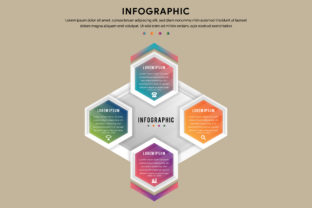
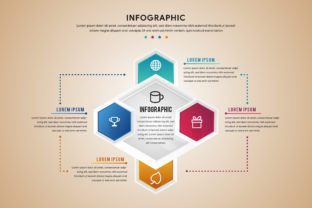
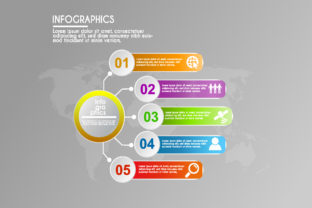
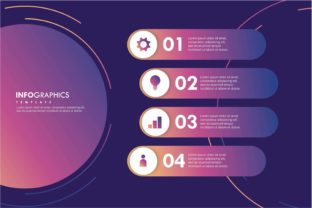
An infographics template is a pre-designed layout that simplifies the creation of visually engaging content by providing a structured format. Whether you're a marketer, educator, or entrepreneur, these templates help translate complex data into digestible visuals without requiring advanced design skills. They fit into the broader content creation workflow by acting as a bridge between raw information and polished communication.
Before diving into a design project, templates serve as a starting point that reduces decision fatigue. Instead of building from scratch, users can focus on customizing visuals, inserting data, and refining messaging. This makes infographics templates especially valuable for professionals who need to produce consistent, high-quality materials under time constraints.
When to Use Infographics Templates
Before a project, templates help establish a visual direction. They provide a reference for layout, color schemes, and typography, ensuring that your final output aligns with brand standards or presentation goals. For example, a marketing team planning a campaign might use a template to draft a visual report before gathering all the data.
DOING work with an infographics template allows for iterative refinement. As new data comes in or project requirements shift, templates can be adjusted without starting over. This flexibility supports real-time collaboration, especially when using cloud-based tools that allow multiple users to edit simultaneously.
After a task, templates help with repurposing content. A presentation created for a client meeting can be adapted into a social media post or blog graphic. This reuse not only saves time but also reinforces brand consistency across different platforms.
Integration with Tools and Workflows
Infographics templates are most effective when integrated into existing tools and workflows. Many templates are compatible with popular platforms like Adobe Illustrator, Canva, PowerPoint, and Google Slides. This compatibility ensures that users can work within familiar environments while leveraging professionally designed layouts.
For example, a freelance designer might use an SVG infographics template in Adobe Illustrator for high-resolution print work, then export it as a JPG for web use. Similarly, a small business owner could use a ready-made template in Canva to create a social media graphic in minutes.
- File Formats: SVG (vector format ideal for scaling), EPS (used for print), JPG (web-friendly raster format)
- Editing Tools: Figma, Illustrator, Canva, PowerPoint, Google Slides
- Output Platforms: Websites, social media, presentations, reports, email newsletters
Practical Tips for Using Infographics Templates
Start by selecting a template that matches your content type and intended use. If you're presenting financial data, choose a template with clean charts and graphs. For educational content, look for layouts with icons and labeled diagrams.
- Review the structure: Ensure the template has enough sections to accommodate your data without looking cluttered.
- Check for customization options: Make sure you can edit colors, fonts, and layout elements to match your brand guidelines.
- Test for scalability: Use vector-based templates (like SVG or EPS) if you need to resize the graphic for different formats.
Once you've selected a template, populate it with your data. Avoid overloading it with information—keep the message clear and focused. Use icons and visual cues to highlight key points. If the template includes placeholder text, replace it with concise, impactful language that supports your message.
Workflow Examples
Marketing Team: Before launching a product, a marketing team uses an infographics template to outline key features, pricing, and benefits. They share the template internally for feedback, then finalize it for use in email campaigns and landing pages.
Educator: A teacher preparing a lesson on climate change downloads a free template with icons and data charts. They customize it with class-specific data and distribute it as a handout and presentation slide.
Freelancer: A freelance data analyst receives a client request for a report summary. Instead of designing from scratch, they use a pre-made template in Google Slides, insert the key findings, and deliver a polished visual summary in under an hour.
Ensuring Quality and Consistency
Using templates doesn't mean sacrificing quality. In fact, well-designed templates often enhance it by enforcing visual consistency across projects. To maintain high standards:
- Use templates from reputable sources to ensure design quality and file integrity.
- Standardize your template library with approved layouts for different content types.
- Update templates periodically to reflect current brand assets and design trends.
Also, consider creating a style guide that outlines how templates should be used. This helps teams stay aligned and reduces the risk of inconsistent branding across different materials.
Long-Term Benefits of Infographics Templates
Over time, incorporating infographics templates into your workflow leads to greater efficiency and scalability. As templates become part of your standard toolkit, they reduce the time spent on layout design and allow more focus on content strategy and messaging.
For businesses, this means faster turnaround times on reports, presentations, and marketing materials. For individuals, it means being able to produce professional-grade visuals without needing a background in design. The ability to reuse and adapt templates also supports long-term content planning—whether you're building a quarterly report or a year-long content calendar.
Choosing the Right Template for Your Needs
When selecting a template, consider both the format and the platform you'll use to edit it. If you're working with print materials, an EPS file may be ideal. For digital use, a JPG or SVG file will offer flexibility and clarity at any size.
Also, think about how often you'll need to update or repurpose the template. If you plan to use it frequently, invest in a versatile design that can be easily modified. Some templates come with multiple slide variations or built-in themes, making them adaptable for different topics or audiences.
Final Thoughts on Using Infographics Templates
Infographics templates are more than just design shortcuts—they're tools for improving communication, saving time, and maintaining visual consistency. By integrating them into your workflow thoughtfully, you can streamline content creation while ensuring your message remains clear and compelling.
Whether you're a professional creating reports, a teacher developing lesson materials, or a marketer designing visuals for social media, infographics templates offer a practical solution for turning data into engaging visuals. The key is to choose the right template, customize it effectively, and use it as part of a larger content strategy.